Browse Firmwares
Discover firmware for your modules

Camillia is mesh radio firmware for twelve ESP32 boards. Ten named channels, direct messages, GPS, and a config UI you open in a browser — all of it running on the device, whether you drive it with a keyboard, a roller wheel, a trackball, or a touchscreen.
View Details
Meant to be flashed using the Launcher. Download the bin file, put it on the sd card, install and launch. TXT is a simple notes and journal app for the Attaky Cyber Deck Plus. Jot quick notes, keep a daily journal, or read text files straight off the SD card. Everything is stored as plain .txt files in the /txt folder, so your writing stays portable and easy to back up. Never forget a idea again. DIRECTIONS - Files: press A to open the highlighted note\, or pick "+ New Note" to create one. Up/Down moves through the list. - Name Input: type a name\, then press A (or Enter) to confirm. - View: read the current note. Up/Down scrolls. Backspace returns to Files. - Edit: type your text. Enter starts a new line\, Backspace deletes. Press A to save and move on. - Settings: Left/Right changes the highlighted option (Text Size\, Font Style, Theme, Background, Columns). Enter selects; About opens this info. - About: shows the version\, author and directions. Backspace/A returns. - A cycles the screens: Files -\> View -\> Edit -\> Settings -\> Files. - Shift types uppercase letters and symbols. TIPS - Files live in /txt on the SD card. - Change the look any time from Settings: 7 themes\, 3 backgrounds and 7 font styles, with a 1.75x default text size.
View Details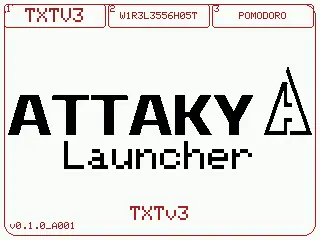
Custom Firmware Release (Attaky Theme Carousel) This release features a complete visual re-theme based on the original work by b_morcelli, now fully redesigned to match the Attaky theme aesthetic. Key Updates Carousel UI: Re-skinned user interface elements, menus, and color palettes from the b_morcelli base to the Attaky design, converting the main UI into a smooth carousel navigation. Multi-Firmware Booting: Allows you to launch multiple firmwares directly from the SD card that fit within the b_morcelli partition layout. Firmware Compatibility Note: Current firmwares available in the store will not launch if they are just merged. They must be reworked using the firmware builder, or you can develop entirely new firmware designed to launch from this platform. Retro-Go Optimization: The full Retro-Go package is too large to load with all consoles included. It needs to be split into single consoles or a small custom group of your liking. Temporary Removal: OTA updates have been removed for now (will be added back once fully functional). Permanent removal: The charge configuration option has been removed.
View Details
A full-band FM and AM receiver for Attaky Core, with touch tuning, live signal readouts, and optional Wi-Fi extras. FM/AM Radio turns Attaky Core plus the FM/AM Radio module into a full-band broadcast receiver with a large touchscreen and a high-performance receiver front end. Tune local broadcasts, save favourite stations, and read signal details from a clear on-device interface built for everyday listening and FM-DX exploration. Highlights Full-band FM and AM reception: Listen across the broadcast bands with a high-performance receiver front end. Touchscreen tuning: Enter a frequency, step through the band, and store favourite stations from a large, clear touchscreen. FM broadcast data: View RDS station name, radio text, and other available broadcast data where supported by the station. Live signal readouts: See signal strength, S-meter and dBµV readings, stereo or mono status, bandwidth, and tuning information. Optional Wi-Fi features: Use the on-device Wi-Fi setup portal to enable time sync and upstream community FM-DX tools when desired. Modular Attaky hardware: Run it on Attaky Core with the FM/AM Radio module, then add the battery module for portable listening. Tuning by touch Use the large touchscreen as the main tuner. Dial in a frequency directly, move through FM or AM in steps, and keep favourite stations close for quick return listening. The interface is built around clear frequency controls, so the radio can move between casual listening and precise tuning without extra equipment. Reading the signal FM/AM Radio shows more than audio. Live readouts display signal strength in S-meter and dBµV, stereo or mono status, bandwidth, and tuning information. On FM broadcasts with RDS, the screen can show station name, radio text, and other broadcast data when available. Optional Wi-Fi extras Network features are optional. The on-device Wi-Fi setup portal can enable time sync and upstream community FM-DX tools, including reception-spot submission, when configured. Leave Wi-Fi unconfigured and those network features stay off. Everyday controls The interface exposes practical radio and display settings for audio, RDS, FM and AM band behaviour, connectivity, FM-DX, auto memory, brightness, theme, language, clock display, screensaver, battery indication, signal-meter unit, and frequency font. The result is a receiver that can be adjusted for the way the broadcast sounds, the way the screen reads, and the way the radio is used. Compatibility FM/AM Radio requires Attaky Core paired with the FM/AM Radio module for reception. A bare Attaky Core can boot the app, but there is no tuner without the radio module installed. Add the battery module for portable use away from a fixed power source. Known limitations The upstream project serves the amateur-radio and FM-DX community, so some screens retain ham and DX terminology plus optional community tools such as reception-spot submission. Those network tools are optional and off unless configured. Full reception functionality requires the FM/AM Radio module. Upstream and license FM/AM Radio is a port by Attaky of the open-source project TEF6686_ESP32 by PE5PVB to Attaky modular hardware. The project is licensed GPL-3.0, and corresponding source is published per the license. Upstream authorship and the GPL-3.0 license are retained, with thanks to the upstream author. Install Install straight from the Attaky firmware store. Open this listing in your browser and flash it to your Attaky in one tap. There is nothing to download or install — the firmware store writes it to your device for you.
View Details
Off-grid messaging and location sharing over a long-range LoRa mesh — no cell signal, no internet, no fees. Meshtastic turns your Attaky Core + LoRa/GPS into a pocket-sized mesh communicator. Devices relay each other's traffic over long-range LoRa radio, so a group can exchange text messages and share location across open country with no cell network, no Wi-Fi and no subscription — ideal for hiking, events, the outdoors, and anywhere coverage runs out. Highlights Off-grid text messaging over a self-healing LoRa mesh — every device extends the others' range. Position sharing — GPS + BeiDou shares everyone's location across the mesh. Four-way screen orientation — landscape or portrait, normal or flipped, chosen right on the device; one firmware, remembered across reboots. One-button screen control — short-press the POWER button to sleep and wake the display. Clock without a phone — takes time from the mesh even before a GPS fix, or set the date, time and time zone by hand on-device. Long range, low power — reaches far beyond Wi-Fi/Bluetooth on a tiny power budget. Private, encrypted channels — AES-encrypted group chats. On-device messaging — read and send messages and browse nodes right on the screen. Optional keyboard module — type messages without reaching for a phone. Pairs with the Meshtastic apps — Bluetooth to iOS, Android and desktop. Talk where there's no signal LoRa is a long-range, low-power radio. Because every Attaky in range relays for the others, a handful of devices form a self-healing mesh that can blanket a trail, a worksite or an event — far beyond what one radio reaches, with no infrastructure to set up. Know where everyone is The built-in GPS (GPS + BeiDou) shares each node's position across the mesh, so you can see where your group is — distance and direction to every node, right on the device. For the full map view, open the paired Meshtastic app. Hold it your way Pick any of four screen orientations — landscape or portrait, either way up — straight from the on-device Settings. The choice is stored on the device and restored every boot, so the screen always matches how you carry it. A short press of the POWER button puts the display to sleep and wakes it again, and the device keeps time from the mesh even indoors, with a manual date, time and time-zone setting for when it is completely on its own. Standalone or with your phone Read and compose messages, browse the node list and check status right on the device's screen. Add the optional keyboard module to type comfortably, or pair over Bluetooth with the official Meshtastic apps (iOS, Android, desktop) for the full map, contacts and settings on a big screen. Screen orientation is set on the device itself. Built on Meshtastic This is the open-source Meshtastic firmware (meshtastic/firmware, 2.7.26), ported by Attaky to the Core + LoRa/GPS hardware with a keyboard overlay. Licensed under GPL-3.0; corresponding source is published per the license. With thanks to the Meshtastic project and its contributors. Meshtastic® is a registered trademark of Meshtastic LLC. This is a third-party Meshtastic Powered device and is not an official Meshtastic product. Compatibility Requires the Attaky Core + LoRa/GPS module. Optional: battery and keyboard modules. Interoperates with other Meshtastic devices and the official Meshtastic apps. Radio region/frequency follows your hardware's antenna. Install Install straight from the Attaky firmware store — open this listing in your browser and flash it to your Attaky in one tap. There's nothing to download or install; the firmware store writes it to your device for you.
View Details
A pocket offline reader for Wikipedia and other .zim archives — search, open, and navigate full articles directly on your Attaky, with no computer and no internet. Pocketpedia reads standard .zim archives straight from an SD card on the Attaky Core — load a full Wikipedia edition, Wikivoyage, Wiktionary, or another collection. Put an archive on the card, and the whole library is searchable and readable on the device: type a title, open the article, follow its links, and keep your place — all offline. Highlights Fully offline: reads Wikipedia and other .zim archives directly from the SD card — no computer, no preprocessing, no internet connection. On-device search: type a title and see live suggestions, then open the article. Full articles: read complete articles with smooth scrolling and tappable in-article links. Find your way: follow links and step back through your reading path. Home shell: continue where you left off, browse the library, and reach history, bookmarks, and a random article. Multi-language text: built-in fonts cover Latin along with CJK and Hangul. Comfortable reading: adjustable body text size, brightness with optional auto-brightness, and auto-sleep. Optional keyboard: the Attaky keyboard module makes searching faster. Read offline, anywhere Pocketpedia keeps an entire .zim archive on the device's SD card and reads it in place. Once the card is in, everything is available on the handheld — there is nothing to sync, no companion app, and no network. Load Wikipedia and other archives Pocketpedia reads standard .zim archives, so you can load a full Wikipedia edition — Simple English, full English, or another language — along with projects like Wikivoyage and Wiktionary. Download the free archive you want from the Kiwix library, copy it onto the SD card, and it is ready to read. Format larger cards as exFAT for archives over 4 GB. Search and open any article Start typing a title and Pocketpedia shows live suggestions from the archive. Pick one to open the full article; the reader lays out headings, paragraphs, lists, and links for reading on the small screen. Follow links and find your way back In-article links are tappable. Follow a link to jump to a related article, and step back through your path to return — so exploring an archive stays quick and never leaves you stranded. Keep your place Pocketpedia remembers where you were. A continue card takes you back to your last article, and history, bookmarks, and a random-article shortcut are all on the home screen. Comfortable to read Set the body text size to suit your eyes, adjust the screen brightness or let auto-brightness handle it, and let the display sleep on its own to save power. Your preferences are stored on the device. Use touch or the optional keyboard Pocketpedia is touch-first for scrolling, searching, and following links. Fit the optional Attaky keyboard module to type searches faster. Compatibility Pocketpedia requires the Attaky Core and the Media-IO module (for the SD card that holds the .zim archive). The Attaky keyboard module is optional and speeds up searching. You supply your own .zim archive on the SD card. Install Install straight from the Attaky firmware store — open this listing in your browser and flash it to your Attaky in one tap. There's nothing to download or install; the firmware store writes it to your device for you. <sub><sup>Trademarks and content: Pocketpedia is an independent Attaky firmware, not affiliated with, endorsed by, or sponsored by the Wikimedia Foundation or Kiwix. Wikipedia is a trademark of the Wikimedia Foundation. You supply your own .zim archives; their content stays under its own license (Wikipedia content is available under CC BY-SA).</sup></sub>
View Details
A standalone touchscreen mesh communicator for the Attaky Mesh series. WadaMesh brings a full landscape touch interface to Attaky Mesh devices. Chat, contacts, channels, map, and settings run directly on the handheld, with MeshCore-protocol compatible LoRa communication, GPS positioning, battery telemetry, and optional hardware keyboard input. Highlights Full touchscreen interface puts chat, contacts, channels, map, and settings on the device itself. MeshCore-protocol compatible radio supports LoRa mesh communication for off-grid messaging. GPS positioning integrates location data into the mesh communicator experience. Battery telemetry reports device voltage when the power module is attached. Keyboard and touch input supports the optional Attaky keyboard module alongside the on-screen keyboard. Attaky Mesh bundle support covers Mesh Pocket, Mesh Deck, and Mesh Station. Touch-First Mesh UI The landscape LVGL interface is designed around direct interaction on the device. Move between chat, contacts, channels, map, and settings directly on the handheld. Chat, Contacts, Channels, and Map WadaMesh keeps the everyday communicator views on the handheld. Use the touch UI for conversations, contact browsing, channel management, map viewing, and device settings. Radio, Location, and Telemetry The Attaky port adds the Attaky Mesh series target with LoRa and GPS support for mesh communication and positioning. Battery telemetry adds device voltage reporting when the power module is present. Keyboard-Ready Input Mesh Deck users can use the integrated hardware keyboard, and the optional Attaky keyboard module can work alongside the on-screen keyboard for text entry. The keyboard module's symbol panel can summon on-screen keys for characters that are not on the physical layout. Install from the Attaky Firmware Store Install from the Attaky firmware store in your browser with one tap. The store handles the device install flow for this Attaky port. Upstream attribution WadaMesh is by ALLFATHER-BV and is distributed under the GPL-3.0-or-later license; this Attaky port is forked from upstream beta_47. Compatibility WadaMesh requires the Attaky Core and the LoRa + GPS expansion; the power module and the Attaky keyboard module are both optional.
View Details
Attaky Compatible firmware built on the open-source MeshCore project for Attaky Core, with Bluetooth app pairing, long-range LoRa, and GPS. This Attaky-built, MeshCore-compatible firmware turns the handheld with the LoRa + GPS expansion into a Bluetooth companion radio for the MeshCore phone app. The device handles radio, GPS, pairing, and quick status checks on its color screen, while messaging, contacts, and channels stay in the app. Highlights Bluetooth companion role pairs the Attaky device with the MeshCore phone app for conversations, contacts, channels, and configuration. Color status UI shows node name, radio parameters, Bluetooth pairing PIN, message count, and a recent-message preview. GPS position sharing sends location data from the LoRa + GPS expansion to the companion app. US and Canada radio defaults match the Attaky LoRa hardware while leaving the operating frequency adjustable from the app. D-pad navigation uses Select, Left, Right, and L1 for quick status-screen control. Optional battery reporting shows battery level when the power module is attached. Companion App Workflow This compatible build runs the Bluetooth companion role for the MeshCore app. The Attaky device runs the radio and presents a focused status interface, while the phone app provides the full messaging experience: chats, contacts, channels, and setup. Status at a Glance The on-device color UI is built for quick checks in the field. Use the controls to move through status screens for node identity, radio settings, pairing information, message count, and recent activity. GPS and Radio Setup With the LoRa + GPS expansion attached, the device supplies GPS position data to the MeshCore app and starts with LoRa defaults for the US and Canada region. Frequency remains adjustable at runtime from the app. Install from the Attaky Firmware Store Install this Attaky-compatible firmware from the Attaky firmware store in your browser with one tap. The store handles the device install flow for this Attaky build. Compatibility This firmware requires the Attaky Core and the LoRa + GPS expansion; the power module is optional and enables battery level. About this firmware This is third-party firmware built by Attaky for Attaky hardware. It is not an official MeshCore product and is not affiliated with, sponsored by, or endorsed by the MeshCore project. The MeshCore name is used only to identify the open-source firmware this Attaky-compatible build is built on and the MeshCore network and app it works with. MeshCore is by Scott Powell / rippleradios.com and is distributed under the MIT license; this Attaky firmware is forked from upstream v1.15.0.
View Details
A talking AI companion on your Attaky — just say the wake word and start a natural voice conversation. Mr.Z turns your Attaky Core + Media-IO into a hands-free AI voice assistant. Wake it with your voice, speak naturally, and hear the reply out loud through the speaker while an expressive animated face shows what is happening on screen. Highlights Voice-first conversation: wake it with a spoken wake word, then talk naturally. Hands-free replies: hear responses out loud through the Media-IO speaker. Expressive face: watch the on-screen avatar react while listening and talking. Clear turn-taking: listening, thinking, and speaking states show whose turn it is. Chat-style transcript: follow the exchange as on-screen chat bubbles. On-device Wi-Fi setup: connect to your Wi-Fi network directly from the device. No phone or keyboard required: hold a conversation hands-free after setup. Talk to it, hear it back Mr.Z is built around natural spoken interaction. Say the wake word, ask a question or start chatting, and it recognises your speech before replying out loud through the speaker. The experience is designed for voice, so you can keep the conversation going without reaching for a keyboard or phone. See the conversation come alive The on-screen face gives Mr.Z a more expressive presence while it listens and responds. The avatar reacts with states such as listening, thinking, happy, surprised, and more, making the assistant feel less like a silent tool and more like a talking companion on your device. Know whose turn it is Clear on-screen states show when Mr.Z is listening, thinking, or speaking. That makes the rhythm of the conversation easier to follow, especially when you are using it hands-free and relying on the device to show whether it is ready for your next phrase. Follow along on screen Your exchange is also shown as chat bubbles on the display. The transcript-style view gives you a simple way to follow the conversation visually while still keeping the main interaction focused on voice. Set up once, over Wi-Fi On first run, Mr.Z lets you join your Wi-Fi network directly from the device. Once connected, it is ready for voice conversation whenever the device is powered and connected to the internet. Uses an online AI service Voice conversation in Mr.Z uses an online AI service, so an internet connection is required. It is not a fully offline assistant; it needs an internet-connected Wi-Fi network to recognise speech and respond as an AI voice companion. Built on Xiaozhi This is the open-source Xiaozhi firmware, project 78/xiaozhi-esp32, version 1.6.0, ported by Attaky to the Core + Media-IO hardware. It is licensed under the MIT license, with thanks to the Xiaozhi project and its contributors. Compatibility Requires the Attaky Core paired with the Media-IO module, including microphone and speaker, plus an internet-connected Wi-Fi network for the AI service. The battery module is optional. Install Install straight from the Attaky firmware store — open this listing in your browser and flash it to your Attaky in one tap. There is nothing to download or install locally; the firmware store writes it to your device for you.
View Details