
Mr.Z AI chatbot
Version: 1.6.0-A001 | Published by Attaky
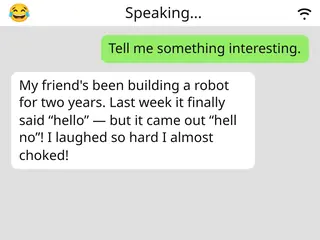
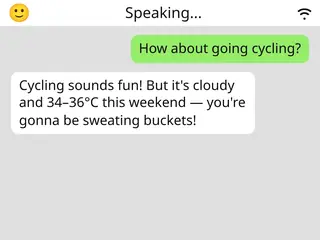
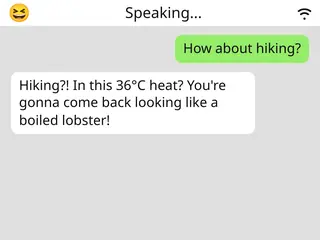
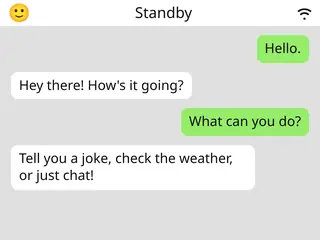
A talking AI companion on your Attaky — just say the wake word and start a natural voice conversation.
Mr.Z turns your Attaky Core + Media-IO into a hands-free AI voice assistant. Wake it with your voice, speak naturally, and hear the reply out loud through the speaker while an expressive animated face shows what is happening on screen.
Highlights
- Voice-first conversation: wake it with a spoken wake word, then talk naturally.
- Hands-free replies: hear responses out loud through the Media-IO speaker.
- Expressive face: watch the on-screen avatar react while listening and talking.
- Clear turn-taking: listening, thinking, and speaking states show whose turn it is.
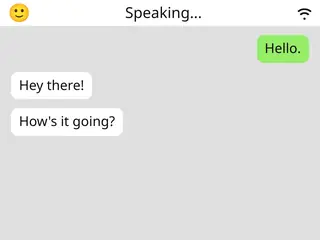
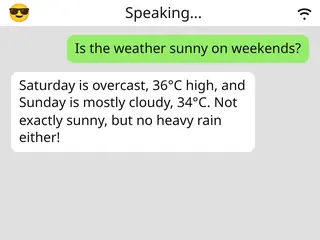
- Chat-style transcript: follow the exchange as on-screen chat bubbles.
- On-device Wi-Fi setup: connect to your Wi-Fi network directly from the device.
- No phone or keyboard required: hold a conversation hands-free after setup.
Talk to it, hear it back
Mr.Z is built around natural spoken interaction. Say the wake word, ask a question or start chatting, and it recognises your speech before replying out loud through the speaker. The experience is designed for voice, so you can keep the conversation going without reaching for a keyboard or phone.
See the conversation come alive
The on-screen face gives Mr.Z a more expressive presence while it listens and responds. The avatar reacts with states such as listening, thinking, happy, surprised, and more, making the assistant feel less like a silent tool and more like a talking companion on your device.
Know whose turn it is
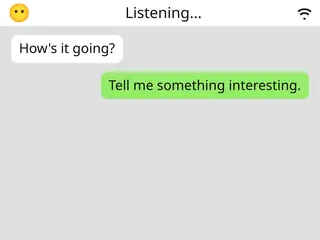
Clear on-screen states show when Mr.Z is listening, thinking, or speaking. That makes the rhythm of the conversation easier to follow, especially when you are using it hands-free and relying on the device to show whether it is ready for your next phrase.
Follow along on screen
Your exchange is also shown as chat bubbles on the display. The transcript-style view gives you a simple way to follow the conversation visually while still keeping the main interaction focused on voice.
Set up once, over Wi-Fi
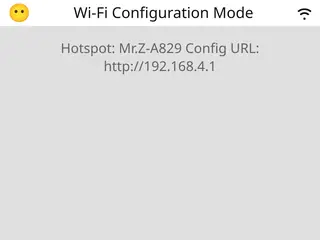
On first run, Mr.Z lets you join your Wi-Fi network directly from the device. Once connected, it is ready for voice conversation whenever the device is powered and connected to the internet.
Uses an online AI service
Voice conversation in Mr.Z uses an online AI service, so an internet connection is required. It is not a fully offline assistant; it needs an internet-connected Wi-Fi network to recognise speech and respond as an AI voice companion.
Built on Xiaozhi
This is the open-source Xiaozhi firmware, project 78/xiaozhi-esp32, version 1.6.0, ported by Attaky to the Core + Media-IO hardware. It is licensed under the MIT license, with thanks to the Xiaozhi project and its contributors.
Compatibility
Requires the Attaky Core paired with the Media-IO module, including microphone and speaker, plus an internet-connected Wi-Fi network for the AI service. The battery module is optional.
Install
Install straight from the Attaky firmware store — open this listing in your browser and flash it to your Attaky in one tap. There is nothing to download or install locally; the firmware store writes it to your device for you.
Release Notes
- Voice conversation — wake word, speech recognition, spoken replies through the speaker.
- Animated emotive face — on-screen avatar reflecting listening / thinking / speaking and a range of expressions.
- On-device Wi-Fi setup — join a network from the device.
- Hands-free operation — full voice interaction without a phone or keyboard.
Download Files
| Flash Address | File Name | Action |
|---|---|---|
0x0 |
Mr.Z_AI_chatbot-1.6.0-A001-bootloader.bin | Download |
0x8000 |
Mr.Z_AI_chatbot-1.6.0-A001-partition-table.bin | Download |
0xd000 |
Mr.Z_AI_chatbot-1.6.0-A001-ota_data_initial.bin | Download |
0x10000 |
Mr.Z_AI_chatbot-1.6.0-A001-srmodels.bin | Download |
0x100000 |
Mr.Z_AI_chatbot-1.6.0-A001-xiaozhi.bin | Download |