
Browse Firmwares
Discover firmware for your modules
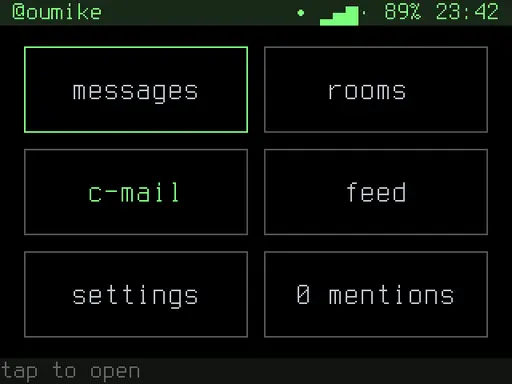
Standalone ESP32 firmware client for cyberspace.online, a retro text-only social network. It runs on the Elecrow ThinkNode M9, with builds for the Seeed Wio Tracker L2, the LilyGO T-Deck Plus, the Elecrow CrowPanel Advance 3.5" and 5.0", the LilyGO T-LoRa Pager and the LilyGO T-Deck Pro (not yet tried on hardware), and offers cIRC chat (milestone 1), C-Mail private messages (milestone 2), and a web config page served by the device. No phone app or companion is needed.
View Details
Camillia is mesh radio firmware for twelve ESP32 boards. Ten named channels, direct messages, GPS, and a config UI you open in a browser — all of it running on the device, whether you drive it with a keyboard, a roller wheel, a trackball, or a touchscreen.
View Details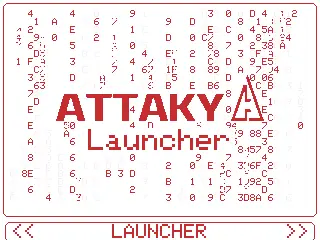
Custom Firmware Release (Attaky Theme Carousel) This release features a complete visual re-theme based on the original work by b_morcelli, now fully redesigned to match the Attaky theme aesthetic. Key Updates Attaky Flasher Found on github until release it is paired with the Attaky Launcher for WEBUI (APPUI) updates or for just flashing offline, or the pc is already being used. Carousel UI: Re-skinned user interface elements, menus, and color palettes from the b_morcelli base to the Attaky design, converting the main UI into a smooth carousel navigation. COLORS UPDATED + VISUALS Multi-Firmware Booting: Allows you to launch multiple firmware directly from the SD card that fit within the b_morcelli partition layout. Retro-Go Optimization: The full Retro-Go package is too large to load with all consoles included. It needs to be split into single consoles or a small custom group of your liking. Matrix Rain rework. Touch now works Added battery meter back Temporary Removal: # OTA updates # Permanent removal: The charge configuration option has been removed. OTA update option in the menu are now permanently removed.
View Details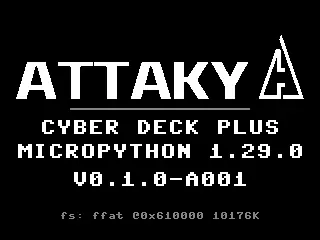
Micro python for the Attaky cyber series. Added -Color themes, Brightness, Help, About -Made it a typewriter effect at 275 words per minute -Made for on the go development code and scripts. -Can be used as a calculator, and a notepad. -Best launched through the Attaky Launcher.
View Details
## Full description W1R3L3556H05T is firmware for the Attaky Cyber Deck Plus built around one idea: the deck should be able to show you what is on the air around you — and let you prove it — while it sits in your hand. The whole firmware is seven screens on a carousel: **Recon**, **Phantom**, **Phantom alerts**, **Phantom net**, **CLI**, **Connection**, **Settings**. Every one of them is reachable with the deck's own buttons, the keyboard, the gamepad or the touch panel, and every list can be written to the microSD card as CSV. The radio is treated as one resource: the BLE observer and the Wi-Fi sniffer are never left fighting over the front end, a tool that pins a channel parks the hop instead of silently starving it, and the radio returns to background monitoring when you leave. ### Recon — what the radio hears - **Recon WiFi** — a continuous 14-channel sweep\, three APs per page\, each entry reading `MAC RSSI` / `manufacturer ch auth` / `SSID` with a hairline rule between records. Sort by first-heard, strongest, lowest channel or busiest with `LEFT`/`RIGHT`; `R1` writes `/sdcard/wg_recon_aps.csv`. - **Recon clients** — every station heard transmitting\, on every network\, live\, with vendor and frame counts and the same CSV export. - **Recon BLE** — opens straight into a scan; pick a device and it offers **Enum / GATT** (services, characteristics, notify reads) or **Track** (RSSI over time as a sparkline). - **Probe watch** — probe requests by address\, with vendor lookup. - **WPS survey** — APs still answering WPS\, with locked/configured state. - **Security survey** — per-AP auth suite\, PMF requirement and WPS\, read passively from the beacon's own IEs. - **Channel visualizer** — a bar per 2.4 GHz channel at the real measured frame rate, with the tuned channel highlighted. - **Channel noise** and **BLE noise** — the same band as raw counts. ### Phantom — what you put on the air - **phantom ap** — an open rogue access point with an editable **name** and **BSSID** (kept in the locally-administered range, so it can never present another device's burned-in address), a live client list with RSSI and dwell time, and a **hit counter in the top bar** that appears the moment the AP goes up and disappears when it goes down. - **portal** — a captive portal served on that AP: a background DNS task answers every query with the AP's own address, the landing page is local, its title and body are editable from the screen, and a page on the card overrides the built-in one. Nothing a client sends is read, stored or logged. - **wireshark** — the USB port streams 802.11 frames as a radiotap pcap\, so Wireshark on a host shows channel, rate and signal instead of blanks. - **hex stream**\, **pcap logging**\, **ap log**\, **dump aps / clients / ble**\, **console** and **status** — the rest of the port as a toolkit. - The portal runs on its own HTTP and DNS tasks\, so serving a page never stalls the UI, and the AP keeps counting joins while you walk to another screen. ### Detection Eight monitors run in the background — deauth flood, beacon flood, evil twin, open bait AP, BLE advertisement flood, tool badge, pwnagotchi and card skimmer — each with its own hit count. A new anomaly opens an **alert popup** offering **enum**, **track** or **dismiss**, sounds **three beeps on rising tones and then stops**, and lands in a timestamped log that can be cycled through on the screen. ### CLI A real command line on the device: `screen`, `rows`, `sel`, `run`, `back`, `key`, `recon`, `menu`, `ap`, `portal`, `status`, `batt`, `mon`, `i2c`, `ls`, `touch`, `sdmount`, `color`, `boot`, `help`. It drives the same UI the buttons drive — commands are queued as the button events themselves, so a command can never mean something the pad cannot. ### Net Scan and join nearby networks, then probe a target — ping, HTTP GET, port check, DNS lookup, speed test — with gateway, DNS and address shown alongside. ### Interface Seven screens, four closed-strip layouts (**Carousel**, **Carousel UI**, **List**, **Grid**), six two-tone themes (**Watermelon**, **Bubblegum**, **Ice**, **Fire**, **Watchdogs**, **Attaky**), an outline battery gauge, SD and link marks in the top bar, an RGB core that can follow the radios, and a boot splash you will see for a second at most. --- ## Hardware \| \| \| \|---\|---\| \| MCU \| ESP32-S3\, 16 MB flash\, 8 MB octal PSRAM \| \| Panel \| ST7789 320×240 SPI\, landscape \| \| Storage \| microSD over SPI (FAT32) \| \| Input \| AW9523 onboard buttons\, 5×5×2 keyboard matrix\, TCA9555 gamepad\, FT6636 touch \| \| Audio \| NS4168 I2S speaker \| \| LEDs \| AW9523 / TCA9555 RGB channels \| ## Installation 1. Copy the firmware image to the root of the deck's microSD card (for example `WirelessGhost_V3.bin`). 2. Eject the card cleanly\, put it back\, and pick the image in the deck's launcher. The launcher writes the app image to `0x10000`. 3. Settings\, the rogue AP's name and address\, and saved networks live in NVS and survive both reflashes and power cycles. Built with **ESP-IDF v6.1** for the xtensa ESP32-S3 target. ## Controls \| \| \| \|---\|---\| \| Turn the carousel \| `L1` / `R1`\, or the D-pad\, or `LEFT`/`RIGHT` \| \| Open a screen \| `ENTER` (gamepad **A**) \| \| Back out one level \| **`B`**\, **`L1`** or **`BOOT`** — `L1` is there so the deck needs no gamepad \| \| Move / select \| `UP`/`DOWN`\, `ENTER` \| \| Write the list to the card \| `R1` on any recon list \| \| Silence an alert \| `R1` on Phantom alerts \| \| Backlight \| `POWER` \| --- ## Note For use only on networks and devices you own or have explicit permission to test. The deck raises an open access point, serves a captive portal and listens on the air; doing any of that against infrastructure you do not control is unlawful in most places.
View Details
Meant to be flashed using the Launcher. Download the bin file, put it on the sd card, install and launch. TXT is a simple notes and journal app for the Attaky Cyber Deck Plus. Jot quick notes, keep a daily journal, or read text files straight off the SD card. Everything is stored as plain .txt files in the /txt folder, so your writing stays portable and easy to back up. Never forget a idea again. DIRECTIONS - Files: press A to open the highlighted note\, or pick "+ New Note" to create one. Up/Down moves through the list. - Name Input: type a name\, then press A (or Enter) to confirm. - View: read the current note. Up/Down scrolls. Backspace returns to Files. - Edit: type your text. Enter starts a new line\, Backspace deletes. Press A to save and move on. - Settings: Left/Right changes the highlighted option (Text Size\, Font Style, Theme, Background, Columns). Enter selects; About opens this info. - About: shows the version\, author and directions. Backspace/A returns. - A cycles the screens: Files -\> View -\> Edit -\> Settings -\> Files. - Shift types uppercase letters and symbols. TIPS - Files live in /txt on the SD card. - Change the look any time from Settings: 7 themes\, 3 backgrounds and 7 font styles, with a 1.75x default text size.
View Details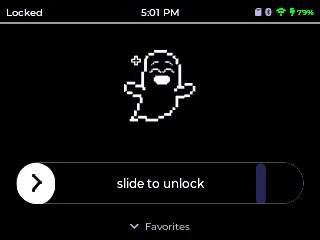
Ghostesp V2.2.3 Made by Spook and revived by Deki and the Ghostesp revival team. Everything works as it should for wardriving use the companion app it will pull your phones GPS. It launches from the launcher as a merged bin. Ghostesp is a red team pentesting platform used by hobbiest and cyber security personnel around the world. !!!!!!!PLEASE TEST ON YOUR OWN HARDWARE W1R3L3556H05T AND ATTAKY ARE NOT RESPONSIBLE FOR YOU BEING IRESPOSIBLE!!!!!!!!
View Details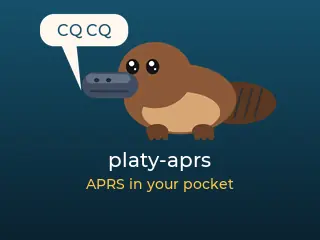
Platy APRS is APRS client firmware for handheld ESP32-S3 boards. Pair it with a Bluetooth KISS TNC or radio, or use the board's own LoRa radio — then beacon, message, map stations, and gate to APRS-IS, all from the device or its built-in web page.
View Details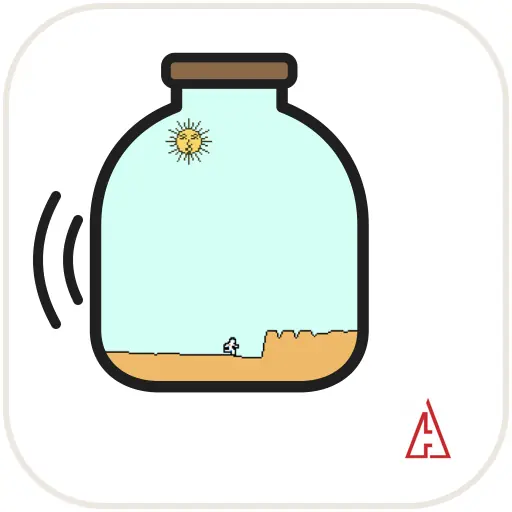
SOUND TERRARIUM A tiny living world in a bottle: sound builds the land, your city's time and weather paint the sky, and a little runner lives inside it. SOUND TERRARIUM turns your Attaky into a pocket diorama of the present moment. The microphone listens to the room and every sound raises the terrain that scrolls past; the sky follows the real time, weather, sun, moon and tide of the city you choose. A tiny runner jumps, climbs and waves its way through it all, and UFOs, meteors and a distant airplane drop by now and then. Highlights Sound becomes landscape: Talk, clap or play music and the ground rises with it. The sky of your city: Live time, weather, temperature, sun and moon paths, moon phase and tides, with real day and night. A little world to play with: Tap the runner to make it jump, tap the night sky for a meteor, and hold a finger on the screen to call a UFO. Built-in metronome: A clicking metronome from 40 to 200 BPM that also feeds the terrain. Tilt the bottle: Lean the device and the world leans with it; if the runner falls off the screen, a UFO comes to rescue it. Room light and weather colors: The scene follows the light in your room, and the status light changes color with the weather. Controls SELECT — jump. UP / DOWN — show or hide the clock layer and the information layer. R1 — metronome on or off; while it runs, LEFT / RIGHT change the tempo and UP / DOWN the volume. L1 — sound effects on or off. BOOT — open the Wi-Fi setup. Touch — tap the runner, tap the sky, or hold anywhere for a UFO. Getting started On first start the device opens a Wi-Fi network called SOUND-TERRARIUM-SETUP. Join it with your phone, choose your Wi-Fi, enter your city, and save. Weather and time then come from the internet; without a connection the world keeps running on its own. Compatibility SOUND TERRARIUM needs Attaky Core with the Media-IO module, which provides the microphone and speaker. Add the battery module to keep the terrarium running anywhere on your desk. A 2.4 GHz Wi-Fi network is needed for live time and weather. About this firmware SOUND TERRARIUM for Attaky is a port by Attaky of SOUND TERRARIUM by kariagepompadour, adapted to Attaky modular hardware with touch, room-light and weather-light additions. The original is released under the MIT License (Copyright (c) 2026 kariagepompadour); see the upstream repository linked on this page. Install Install straight from the Attaky firmware store. Open this listing in your browser and flash it to your Attaky in one tap. There is nothing to download or install — the firmware store writes it to your device for you.
View Details