
TXT viewer/editor
Version: v0.1.1 | Published by WirelessGhost318
Meant to be flashed using the Launcher. Download the bin file, put it on the sd card, install and launch.
TXT is a simple notes and journal app for the Attaky Cyber Deck Plus.
Jot quick notes, keep a daily journal, or read text files straight off
the SD card. Everything is stored as plain .txt files in the /txt folder,
so your writing stays portable and easy to back up. Never forget a idea again.
DIRECTIONS
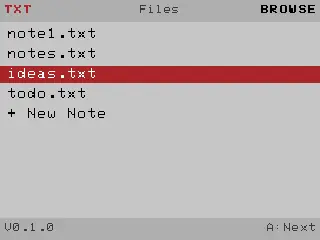
- Files: press A to open the highlighted note\, or pick "+ New Note" to
create one. Up/Down moves through the list.
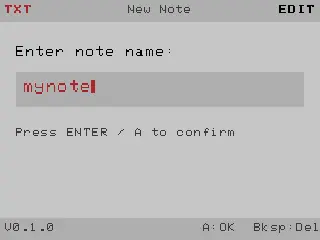
- Name Input: type a name\, then press A (or Enter) to confirm.
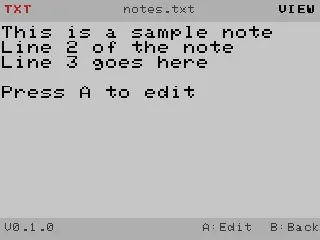
- View: read the current note. Up/Down scrolls. Backspace returns to Files.
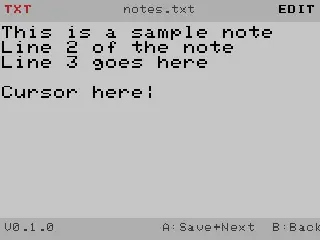
- Edit: type your text. Enter starts a new line\, Backspace deletes.
Press A to save and move on.
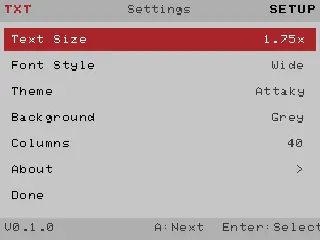
- Settings: Left/Right changes the highlighted option (Text Size\, Font
Style, Theme, Background, Columns). Enter selects; About opens this info.
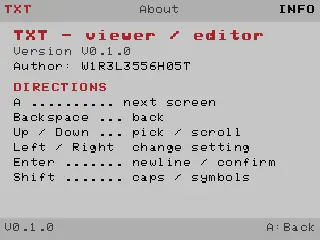
- About: shows the version\, author and directions. Backspace/A returns.
- A cycles the screens: Files -\> View -\> Edit -\> Settings -\> Files.
- Shift types uppercase letters and symbols.
TIPS
- Files live in /txt on the SD card.
- Change the look any time from Settings: 7 themes\, 3 backgrounds and
7 font styles, with a 1.75x default text size.
Release Notes
- Notes and journal app for the Attaky Cyber Deck Plus.
- Boot splash, file list, view/edit modes, settings, and about page.
- 7 themes, 3 backgrounds, 7 font styles (Wide default).
Download Files
| Flash Address | File Name | Action |
|---|---|---|
0x0 |
TXT_viewer_editor-v0.1.1-TXT-v0.1.0-A001-merged.bin | Download |