Pomodoro
Version: 1.0.0 | Published by Attaky
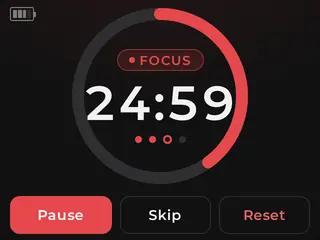
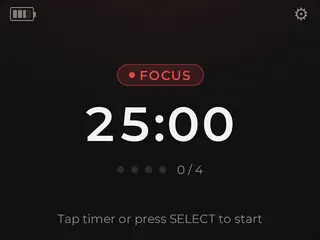
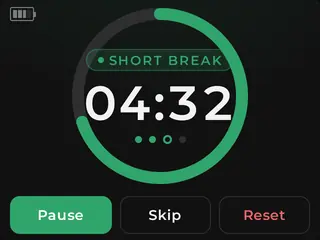
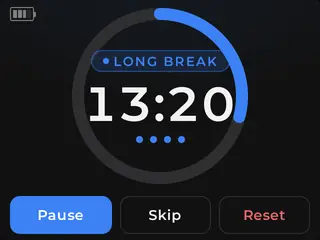
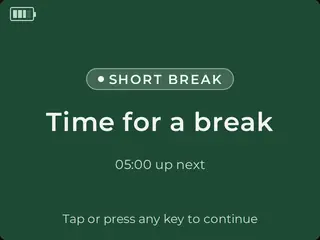
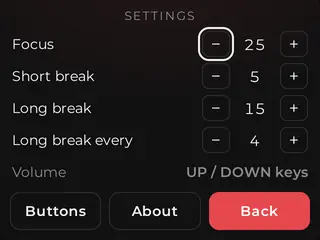
A focus timer for your Attaky that runs automatic focus and break cycles with a big countdown, a progress ring, colour cues, and optional sound cues.
Pomodoro runs the classic focus-and-break rhythm on the Attaky Core: a focus stretch, a short break, and a longer break after several focuses, looping automatically. It gives the current segment a clear visual shape with an on-screen countdown, a progress ring, and a status light that changes by segment type.
Highlights
- Automatic rhythm: focus stretches, short breaks, and long breaks loop for you.
- At-a-glance timer: a big countdown and progress ring show your place in the current segment.
- Colour status light: focus, short break, and long break each have their own colour, and the light blinks when a segment ends.
- Optional sound cues: add short tones at segment ends with the Media-IO / audio module.
- Touch-first control: drive the timer by touch, with physical keys as a full fallback.
- Configurable timing: set the focus, short-break, and long-break lengths and how many focuses lead to a long break — all stored on the device.
- Optional battery readout: add a battery readout with the battery module.
Work in focused sprints
Pomodoro handles the repeating rhythm for you: focus, short break, focus again, and then a longer break after several focus stretches. Once the cycle is running, the firmware loops through the focus and break pattern automatically, so each segment follows the same classic structure.
See the current segment at a glance
A big on-screen countdown shows the time remaining in the current segment, while the progress ring shows how far through that segment you are. Together, they make the current focus, short break, or long break clear without needing to interpret a complex screen.
Follow the colour status light
The status light gives each segment type its own colour: one for focus, one for short breaks, and one for long breaks. When a segment ends, the light blinks, giving you a clear visual cue that it is time to switch.
Add sound when the module is fitted
With the Media-IO / audio module fitted, Pomodoro plays a short tone at the end of each segment. Without that module, the firmware cleanly falls back to on-screen and status-light cues only.
Use touch or physical keys
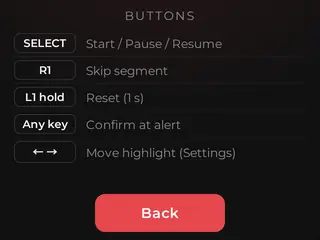
Pomodoro is touch-first, so you can drive the timer by touch — and the physical keys are a full fallback, so nothing depends on the screen alone.
Set the rhythm your way
Set the focus length, short-break length, long-break length, and the number of focuses that lead to a long break. Pomodoro stores those settings on the device.
Add a battery readout
If the optional battery module is fitted, Pomodoro adds a battery readout. The timer itself needs only the Attaky Core, so the readout is a bonus when the module is present.
Compatibility
Pomodoro requires the Attaky Core. The Media-IO / audio module is optional and enables short end-of-segment tones, while the battery module is optional and adds a battery readout.
Install
Install straight from the Attaky firmware store — open this listing in your browser and flash it to your Attaky in one tap. There's nothing to download or install; the firmware store writes it to your device for you.
Release Notes
- Automatic focus / break cycling — focus, short break, and a longer break after several focuses, in a continuous loop.
- On-screen timer + progress ring with touch-first controls and physical-key fallback.
- RGB status light — a colour per segment type, blinking at each segment end.
- Optional sound cues — short end-of-segment tone when the audio module is fitted; degrades cleanly to visual-only otherwise.
- Configurable, device-stored durations — focus / short / long lengths and long-break cadence.
- Optional battery readout with the battery module.