

W1R3L3556H05T
Version: v0.1.0-A001 | Published by WirelessGhost318
## Full description
W1R3L3556H05T is firmware for the Attaky Cyber Deck Plus built around one idea:
the deck should be able to show you what is on the air around you — and let you
prove it — while it sits in your hand.
The whole firmware is seven screens on a carousel: **Recon**, **Phantom**,
**Phantom alerts**, **Phantom net**, **CLI**, **Connection**, **Settings**. Every
one of them is reachable with the deck's own buttons, the keyboard, the gamepad
or the touch panel, and every list can be written to the microSD card as CSV.
The radio is treated as one resource: the BLE observer and the Wi-Fi sniffer are
never left fighting over the front end, a tool that pins a channel parks the hop
instead of silently starving it, and the radio returns to background monitoring
when you leave.
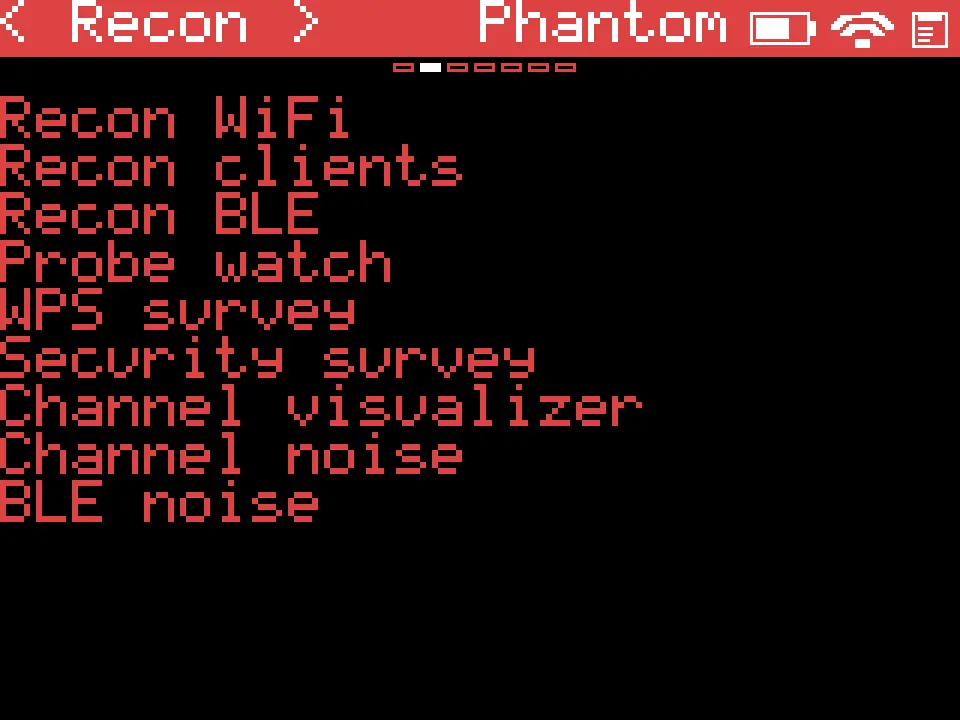
### Recon — what the radio hears
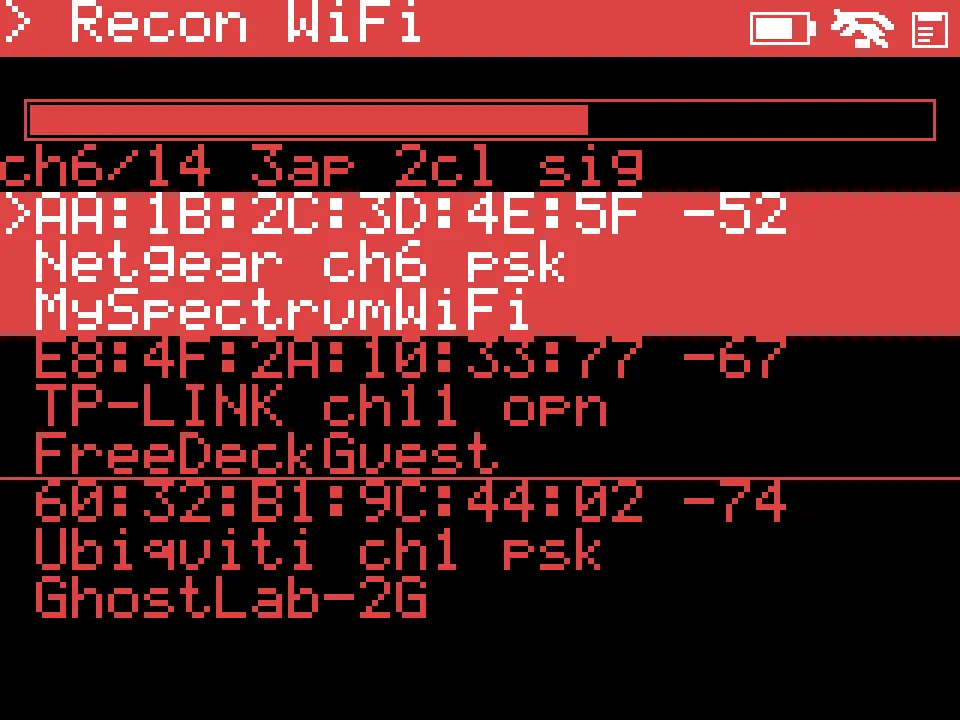
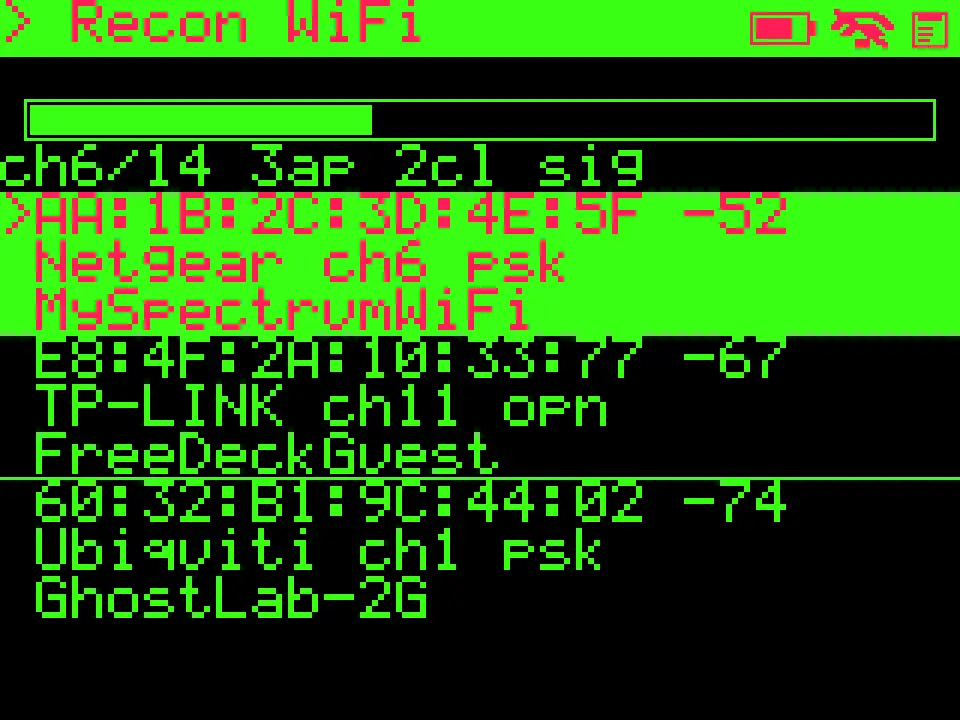
- **Recon WiFi** — a continuous 14-channel sweep\, three APs per page\, each entry
reading `MAC RSSI` / `manufacturer ch auth` / `SSID` with a hairline rule
between records. Sort by first-heard, strongest, lowest channel or busiest
with `LEFT`/`RIGHT`; `R1` writes `/sdcard/wg_recon_aps.csv`.
- **Recon clients** — every station heard transmitting\, on every network\, live\,
with vendor and frame counts and the same CSV export.
- **Recon BLE** — opens straight into a scan; pick a device and it offers
**Enum / GATT** (services, characteristics, notify reads) or **Track**
(RSSI over time as a sparkline).
- **Probe watch** — probe requests by address\, with vendor lookup.
- **WPS survey** — APs still answering WPS\, with locked/configured state.
- **Security survey** — per-AP auth suite\, PMF requirement and WPS\, read
passively from the beacon's own IEs.
- **Channel visualizer** — a bar per 2.4 GHz channel at the real measured frame
rate, with the tuned channel highlighted.
- **Channel noise** and **BLE noise** — the same band as raw counts.
### Phantom — what you put on the air
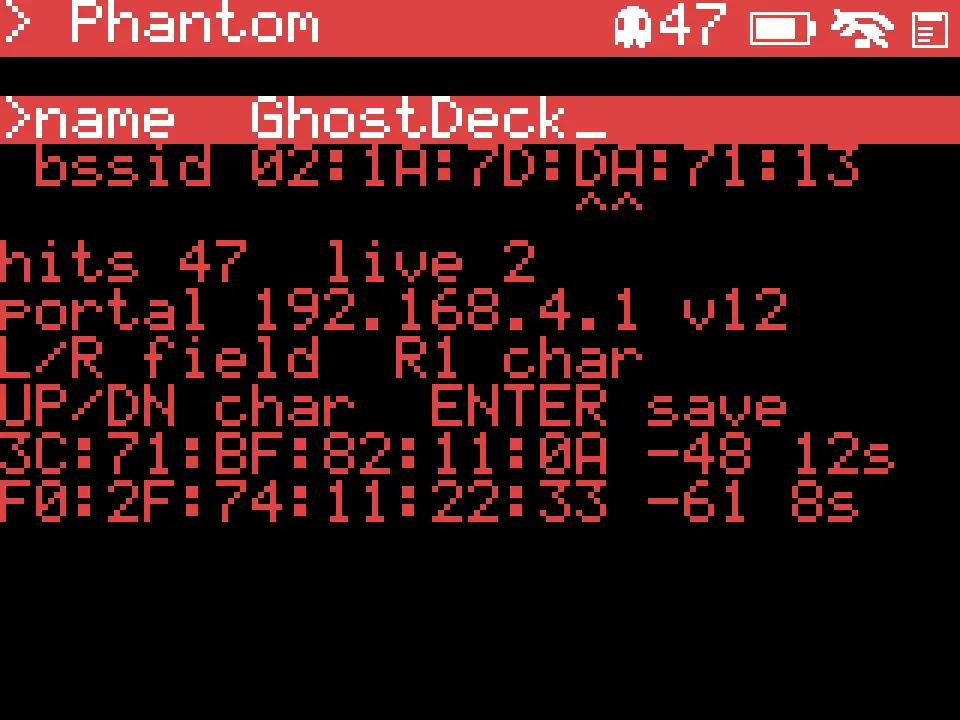
- **phantom ap** — an open rogue access point with an editable **name** and
**BSSID** (kept in the locally-administered range, so it can never present
another device's burned-in address), a live client list with RSSI and dwell
time, and a **hit counter in the top bar** that appears the moment the AP goes
up and disappears when it goes down.
- **portal** — a captive portal served on that AP: a background DNS task answers
every query with the AP's own address, the landing page is local, its title
and body are editable from the screen, and a page on the card overrides the
built-in one. Nothing a client sends is read, stored or logged.
- **wireshark** — the USB port streams 802.11 frames as a radiotap pcap\, so
Wireshark on a host shows channel, rate and signal instead of blanks.
- **hex stream**\, **pcap logging**\, **ap log**\, **dump aps / clients / ble**\,
**console** and **status** — the rest of the port as a toolkit.
- The portal runs on its own HTTP and DNS tasks\, so serving a page never stalls
the UI, and the AP keeps counting joins while you walk to another screen.
### Detection
Eight monitors run in the background — deauth flood, beacon flood, evil twin,
open bait AP, BLE advertisement flood, tool badge, pwnagotchi and card skimmer —
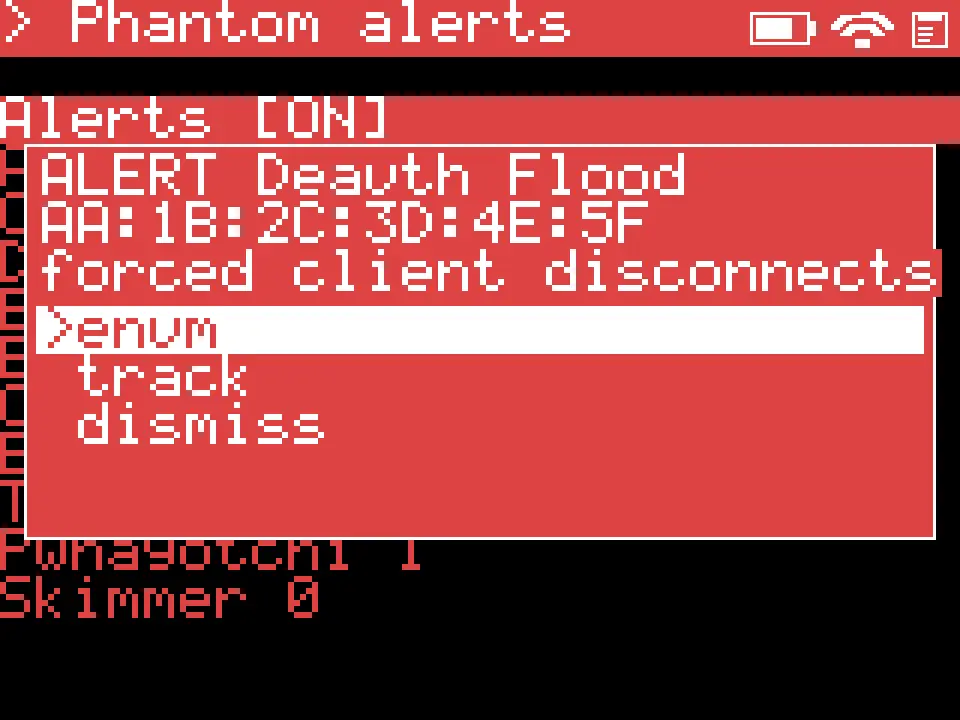
each with its own hit count. A new anomaly opens an **alert popup** offering
**enum**, **track** or **dismiss**, sounds **three beeps on rising tones and
then stops**, and lands in a timestamped log that can be cycled through on the
screen.
### CLI
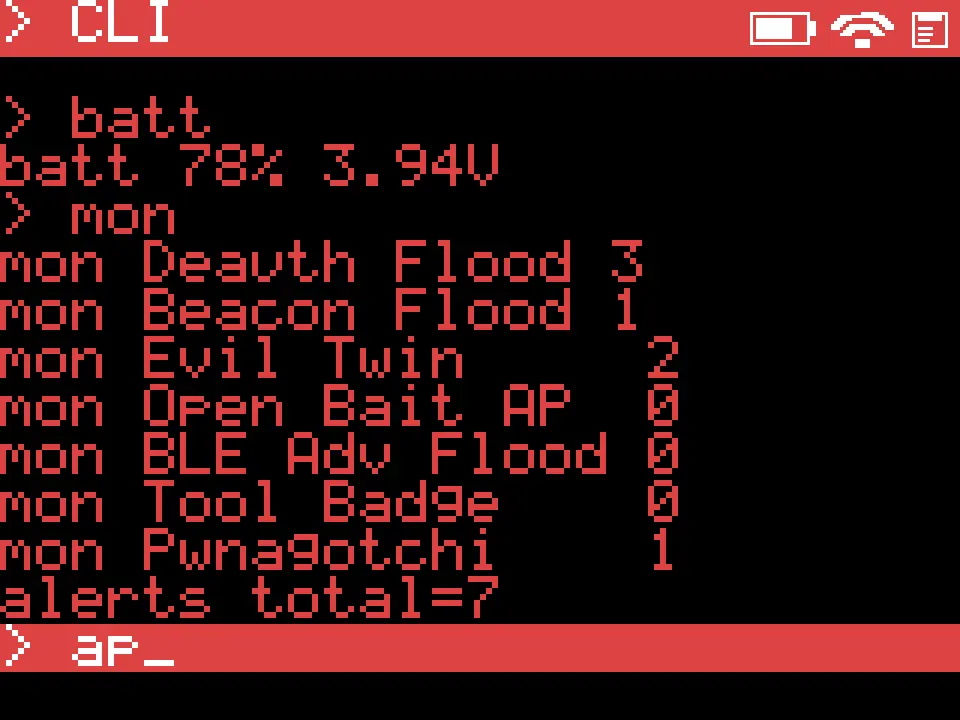
A real command line on the device: `screen`, `rows`, `sel`, `run`, `back`,
`key`, `recon`, `menu`, `ap`, `portal`, `status`, `batt`, `mon`, `i2c`, `ls`,
`touch`, `sdmount`, `color`, `boot`, `help`. It drives the same UI the buttons
drive — commands are queued as the button events themselves, so a command can
never mean something the pad cannot.
### Net
Scan and join nearby networks, then probe a target — ping, HTTP GET, port check,
DNS lookup, speed test — with gateway, DNS and address shown alongside.
### Interface
Seven screens, four closed-strip layouts (**Carousel**, **Carousel UI**,
**List**, **Grid**), six two-tone themes (**Watermelon**, **Bubblegum**, **Ice**,
**Fire**, **Watchdogs**, **Attaky**), an outline battery gauge, SD and link marks
in the top bar, an RGB core that can follow the radios, and a boot splash you
will see for a second at most.
---
## Hardware
\| \| \|
\|---\|---\|
\| MCU \| ESP32-S3\, 16 MB flash\, 8 MB octal PSRAM \|
\| Panel \| ST7789 320×240 SPI\, landscape \|
\| Storage \| microSD over SPI (FAT32) \|
\| Input \| AW9523 onboard buttons\, 5×5×2 keyboard matrix\, TCA9555 gamepad\, FT6636 touch \|
\| Audio \| NS4168 I2S speaker \|
\| LEDs \| AW9523 / TCA9555 RGB channels \|
## Installation
1. Copy the firmware image to the root of the deck's microSD card (for example
`WirelessGhost_V3.bin`).
2. Eject the card cleanly\, put it back\, and pick the image in the deck's
launcher. The launcher writes the app image to `0x10000`.
3. Settings\, the rogue AP's name and address\, and saved networks live in NVS and
survive both reflashes and power cycles.
Built with **ESP-IDF v6.1** for the xtensa ESP32-S3 target.
## Controls
\| \| \|
\|---\|---\|
\| Turn the carousel \| `L1` / `R1`\, or the D-pad\, or `LEFT`/`RIGHT` \|
\| Open a screen \| `ENTER` (gamepad **A**) \|
\| Back out one level \| **`B`**\, **`L1`** or **`BOOT`** — `L1` is there so the deck needs no gamepad \|
\| Move / select \| `UP`/`DOWN`\, `ENTER` \|
\| Write the list to the card \| `R1` on any recon list \|
\| Silence an alert \| `R1` on Phantom alerts \|
\| Backlight \| `POWER` \|
---
## Note
For use only on networks and devices you own or have explicit permission to
test. The deck raises an open access point, serves a captive portal and listens
on the air; doing any of that against infrastructure you do not control is
unlawful in most places.
Release Notes
Download Files
| Flash Address | File Name | Action |
|---|---|---|
0X0 |
W1R3L3556H05T-v0.1.0-A001-WirelessGhost_V3.bin | Download |