Dice Roller
Version: 1.0.0 | Published by Attaky
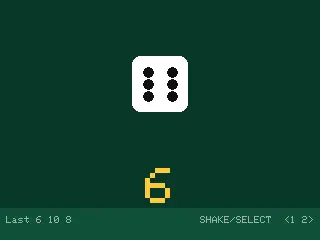
Dice Roller
A pocket pair of dice for board-game night — shake your Attaky to roll.
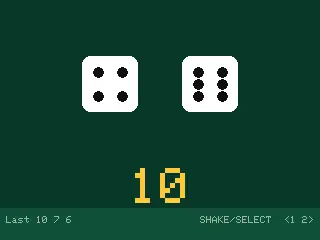
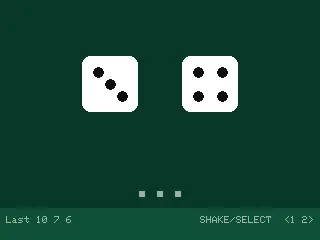
Dice Roller turns the Attaky Core into dice you can't lose. Give it a shake and one or two dice tumble on the screen, then settle on a fresh roll with the total shown big. No extra modules needed: it uses the Core's own motion sensor, screen, buttons and status light.
Highlights
- Shake to roll: A firm shake rolls the dice; one shake gives exactly one roll.
- Or press a button: SELECT re-rolls on the spot when shaking isn't convenient.
- One or two dice: LEFT and RIGHT switch between a single die and a pair, and the choice is remembered.
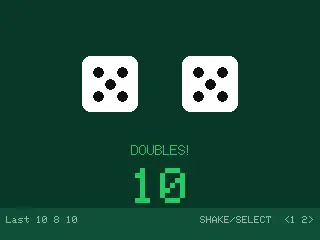
- Doubles at a glance: Roll a pair and the screen says DOUBLES! while the status light flashes green.
- Recent rolls: A strip along the bottom keeps the last few totals in view, so a disputed roll is settled by a glance.
How it works
Shake the device or press SELECT. The dice tumble for a moment while the status light glows white, then settle on a new random result. Totals appear in yellow, and in green when you roll doubles.
Compatibility
Dice Roller needs only the Attaky Core. Add the battery module to take it to the table without a USB cable.
Install
Install straight from the Attaky firmware store. Open this listing in your browser and flash it to your Attaky in one tap. There is nothing to download or install — the firmware store writes it to your device for you.
Release Notes
First release.
- Shake the device or press SELECT to roll one or two dice, with the total shown big.
- LEFT and RIGHT switch between one die and two; the choice is remembered across restarts.
- The status light glows white while the dice tumble and flashes green on doubles.
- The last few totals stay in view along the bottom of the screen.