Camillia for Meshtastic
Version: v6.0.3 | Published by OUMike
LoRa / GPS
Keyboard (Bottom)
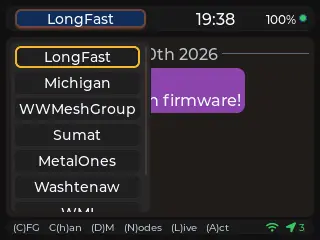
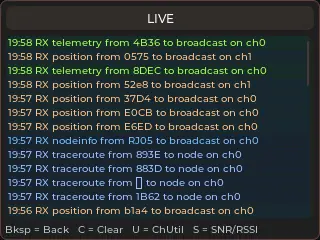
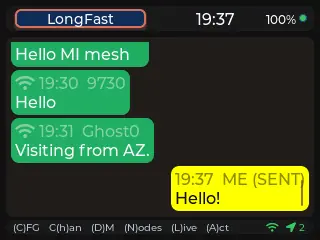
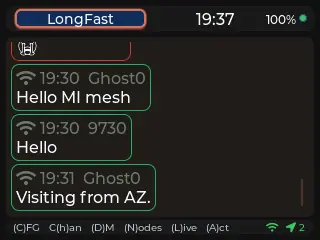
Camillia is mesh radio firmware for twelve ESP32 boards. Ten named channels, direct messages, GPS, and a config UI you open in a browser — all of it running on the device, whether you drive it with a keyboard, a roller wheel, a trackball, or a touchscreen.
Release Notes
### Changed
- Locate and the node map now fill the whole screen on every board, not only the T-Display P4. Before, they opened as a small card that left unused space on wider screens and showed only a narrow strip on the CrowPanel 5". The title now sits as a label on the map.
- To close Locate or the node map, press the close key or Enter. On touch-only boards, tap the X in the top-right corner. Tapping outside the map no longer closes it, because the map now covers the whole screen.
- Downloaded map tiles still cover the area around each node. When internet access is available, Locate loads the extra tiles needed to fill the edges of the full-screen view.
### Update (v6.0.3)
### New
- The full-screen node map now shows a pin for this node when it has a position.
### Changed
- On the node map, the GPS button (`H` or `C` on keyboard builds) now centres on this node at zoom 10. Space goes back to the view showing every node. With no position of its own, the button still frames every node. Not on the Cardputer or the Heltec V4.
### Fixed
- Fixed a display crash during large screen updates. The graphics-library fix for this had stopped being applied in recent releases and is back in place.
**Full Changelog**: https://github.com/oumike/camillia-mt/compare/v6.0.2...v6.0.3
- Locate and the node map now fill the whole screen on every board, not only the T-Display P4. Before, they opened as a small card that left unused space on wider screens and showed only a narrow strip on the CrowPanel 5". The title now sits as a label on the map.
- To close Locate or the node map, press the close key or Enter. On touch-only boards, tap the X in the top-right corner. Tapping outside the map no longer closes it, because the map now covers the whole screen.
- Downloaded map tiles still cover the area around each node. When internet access is available, Locate loads the extra tiles needed to fill the edges of the full-screen view.
### Update (v6.0.3)
### New
- The full-screen node map now shows a pin for this node when it has a position.
### Changed
- On the node map, the GPS button (`H` or `C` on keyboard builds) now centres on this node at zoom 10. Space goes back to the view showing every node. With no position of its own, the button still frames every node. Not on the Cardputer or the Heltec V4.
### Fixed
- Fixed a display crash during large screen updates. The graphics-library fix for this had stopped being applied in recent releases and is back in place.
**Full Changelog**: https://github.com/oumike/camillia-mt/compare/v6.0.2...v6.0.3
Download Files
| Flash Address | File Name | Action |
|---|---|---|
0x0 |
Camillia_for_Meshtastic-v6.0.3-camillia-mt-mesh-deck-v6.0.3.bin | Download |