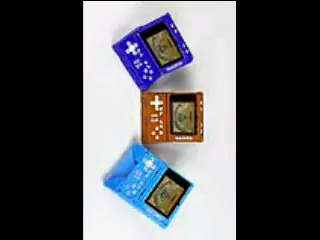
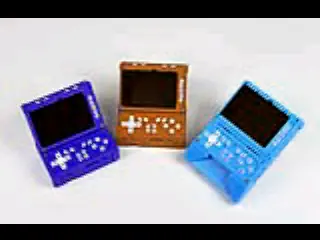
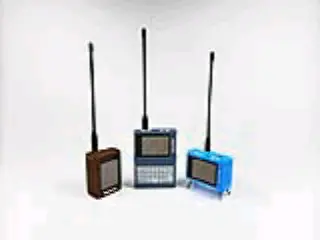
PictureShow
A pocket photo frame for Attaky — put pictures on an SD card and flip through them on the Attaky screen.
PictureShow turns Attaky Core and the Media-IO module into a simple picture viewer. Copy JPEG, PNG or BMP files to an SD card, insert it, and browse them full screen with the physical keys. Rotate a picture, switch how it fills the screen, and move on to the next one.
Highlights
- Your own pictures: Reads JPEG, PNG and BMP files from the root of the SD card, sorted by file name.
- Full-screen viewing: Each picture fills the landscape screen, with five display modes — fit, fill, stretch, original size centered, and tile.
- Quick controls: Step through pictures with up and down, rotate with the shoulder keys, and change the display mode with SELECT.
- Handles big pictures: Large baseline JPEG, PNG and BMP pictures are scaled down to the screen as they load.
- Clear feedback: A loading animation while a picture opens, and plain messages when there is no SD card, no pictures, or a file that cannot be opened.
Controls
Up and down move to the previous or next picture. L1 and R1 rotate the current picture a quarter turn left or right. SELECT cycles the display modes. Rotation and display mode apply to the picture on screen and reset when you move to another one.
Supported files
Baseline and progressive JPEG, PNG, and uncompressed 24-bit or 32-bit BMP files placed in the top folder of the card. PNG files of many megapixels can take a few seconds to open. Progressive JPEGs open up to about 1.5 megapixels; a larger progressive JPEG is shown using the small preview stored inside it when it has one, and otherwise cannot be opened. Save such files as baseline JPEG or PNG so the main image is used rather than the stored preview.
Compatibility
PictureShow requires Attaky Core with the Media-IO module, which provides the SD card slot. Use an SD card formatted as FAT32.
Install
Install straight from the Attaky firmware store. Open this listing in your browser and flash it to your Attaky in one tap. There is nothing to download or install — the firmware store writes it to your device for you.
Release Notes
First release.
- Shows JPEG, PNG and BMP images from the root of the SD card, full screen and sorted by file name.
- Up and down step to the previous or next image.
- L1 and R1 rotate the image a quarter turn left or right.
- SELECT cycles five display modes: fit, fill, stretch, original size centered, and tile.
- Large baseline JPEG, PNG and BMP pictures are scaled down to the screen as they load; an extremely large JPEG that still does not fit in memory cannot be opened. Progressive JPEGs open up to about 1.5 megapixels; larger ones show the small preview stored in the file when it has one.
- A loading animation while an image decodes, and clear messages when there is no SD card, no images, or a file that cannot be opened.